
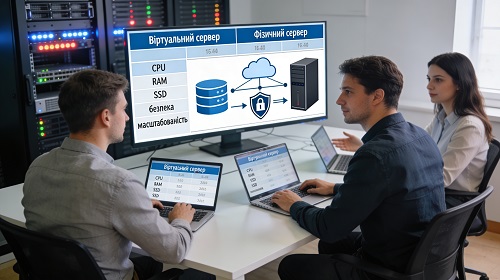
Choosing a Virtual or Local Server for Remote Access
In modern companies, remote access to corporate systems has become a critical part of business operations. Employees, managers, accountants, remote offices, and contractors must have secure and stable access to applications, documents, databases, and internal company resources.
To achieve this, it is essential to select the right virtual or local server. The choice directly affects system performance, stability of access, data security, and the future scalability of the IT infrastructure.
Selecting a server for remote work requires careful consideration of technical, organizational, and financial factors. Mistakes at this stage can lead to system instability, limited scalability, and increased long-term costs.
Key Criteria for Choosing a Server
Server Performance and Resources
One of the main factors is server performance. It is important to evaluate RAM capacity, CPU cores, processing speed, and storage space.
These parameters determine how many users can connect simultaneously, how fast applications run, and how stable the system remains under load.
Incorrect resource allocation can result in slow performance and system interruptions. Therefore, servers must match current workload requirements and allow room for future growth.
Operating System Selection
The choice of server operating system depends on business needs and software requirements.
Windows Server is commonly used in corporate environments for remote desktop access, domain integration, and compatibility with business applications.
Linux servers are often preferred for their stability, flexibility, and cost-efficiency.
The final choice should be based on compatibility with business processes and IT infrastructure.
Scalability
It is important to consider future scalability. As a company grows, the number of users and system load increases.
A scalable solution allows upgrading resources without rebuilding the entire infrastructure.
This is especially important for businesses planning expansion or increased remote access usage.
Remote Access Security
Providing secure remote access is a key requirement.
Security measures include:
- firewalls
- DDoS protection
- VPN configuration
- access control policies
- secure administrator accounts
Without proper security, even a powerful server cannot ensure reliable operation.
Server Location
The physical location of the server affects performance.
Servers closer to users provide lower latency and faster response times.
This is especially important for real-time applications and database access.
Budget and Cost Efficiency
Server selection must align with business budget and long-term value.
Virtual servers are often the best choice for flexibility, quick deployment, and lower upfront costs.
Local physical servers are suitable when full control, data localization, or specific infrastructure requirements are needed.
The final decision should balance cost, functionality, and future needs.
Virtual vs Local Server
Virtual servers are ideal for businesses needing flexibility, scalability, and remote access to systems.
Local servers are better suited for companies requiring full hardware control and internal data storage.
The choice depends on business size, security requirements, and IT infrastructure.
Professional Server Selection for Business
Professional server selection for remote access includes workload analysis, user requirements, system design, and security planning.
We help businesses choose virtual and physical servers tailored to their needs, including setup, configuration, and ongoing support.
This ensures a reliable and scalable IT solution for long-term business success.
Conclusion
Choosing the right server for remote access is a critical step in building a modern IT infrastructure.
A properly selected solution ensures stable performance, secure access, scalability, and efficient resource usage.
A comprehensive approach minimizes risks and creates a strong foundation for business growth.