iPhone Antivirus: Do You Really Need One and How to Choose the Right Solution
Short description: Many iPhone users believe their devices are completely protected against malware and cyber threats. While Apple provides strong built-in security, phishing scams, malicious links, fake websites, and unsafe Wi-Fi networks remain real risks. Here’s what an iPhone antivirus can actually do, when it’s worth installing one, and how to improve your security without sacrificing performance.
For years, iPhone owners have heard the same claim: “iPhones don’t get viruses.” Although there is some truth behind that statement, it often creates a false sense of security. Modern cybercriminals rarely try to infect iOS itself. Instead, they focus on tricking users into giving away passwords, payment information, verification codes, or access to their accounts.
Fake banking messages, phishing websites, malicious QR codes, fraudulent delivery notifications, and compromised public Wi-Fi networks are far more common threats than traditional mobile viruses. As a result, many users are looking for additional security tools that can help detect suspicious activity before damage occurs.
If you regularly use online banking, travel frequently, work remotely, or store sensitive information on your smartphone, understanding how antivirus apps for iPhone work can help you make a better security decision.
Why an iPhone Is Not Completely Immune to Online Threats
Apple has built iOS around a strong security model. Every application runs inside its own sandbox environment, preventing unauthorized access to system files and other apps. Software published on the App Store goes through strict review procedures, and sensitive data is protected using technologies such as Secure Enclave.
Face ID, Touch ID, encrypted storage, app permissions, and rapid security updates all contribute to making iPhones more secure than many competing devices.
However, security does not stop scammers from targeting users directly. A convincing phishing website can steal login credentials. A fake banking SMS can trick someone into revealing account information. An unsafe Wi-Fi hotspot may expose traffic to monitoring attempts. In these situations, the operating system itself may not be the weakest link — human error often is.
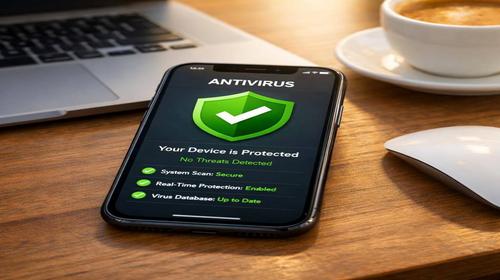
This is exactly where modern iPhone security applications become useful. Rather than searching for traditional viruses, they focus on identifying threats that target users through the internet, email, messages, and public networks.
Built-In iOS Security Features You Should Enable First
Before installing any third-party security software, it’s worth reviewing Apple’s native protection tools.
- Open Settings → General → Software Update and enable automatic updates. Security vulnerabilities are often fixed through iOS updates.
- Enable two-factor authentication for your Apple ID. This significantly reduces the risk of account compromise.
- Review app permissions under Privacy & Security and remove unnecessary access to your camera, microphone, contacts, and location.
- Enable cross-site tracking prevention in Safari to reduce online profiling and malicious tracking attempts.
- Use Face ID or Touch ID to secure banking apps, password managers, and sensitive services.
For many users, these protections already provide a strong security foundation. Nevertheless, additional security software can add another layer of protection against modern scams and phishing attacks.
What Antivirus Apps for iPhone Actually Do
Unlike antivirus software on Windows or Android, iPhone antivirus apps cannot scan the entire operating system for malware because Apple restricts that level of access.
Instead, modern security apps focus on practical protection features such as:
- Blocking malicious websites before they load in your browser.
- Detecting phishing attempts hidden inside messages and emails.
- Providing VPN services that encrypt internet traffic on public networks.
- Monitoring data breaches and warning users if their email addresses appear in leaked databases.
- Checking Wi-Fi networks for common security weaknesses.
- Offering anti-theft and identity protection tools.
In other words, today’s iPhone security apps are designed to protect users from cybercriminals rather than fight traditional device infections.
Bitdefender Mobile Security for iPhone
Bitdefender is one of the most respected names in cybersecurity and offers a well-balanced security package for iOS users.
- Download Bitdefender Mobile Security from the App Store.
- Create an account and activate the available trial version.
- Enable Web Protection to block dangerous websites.
- Turn on scam detection features that help identify suspicious links.
- Configure automatic VPN protection when connecting to unfamiliar Wi-Fi networks.
Bitdefender is known for having minimal impact on battery life and device performance. Most users will not notice any significant slowdown during everyday use.
Norton Mobile Security
Norton remains a popular choice among users who want advanced protection features and comprehensive security reports.
- Install Norton 360 from the App Store.
- Create or sign in to your Norton account.
- Activate Safe Web protection.
- Enable network monitoring features.
- Use the built-in VPN when handling sensitive online transactions.
One useful feature is the ability to evaluate network security before transmitting personal information. This can be particularly valuable for travelers and remote workers.
Avira and Avast: Free Security Alternatives
Users looking for a free solution often choose Avira Mobile Security or Avast Security.
While they do not offer every premium feature available in paid products, they provide enough protection for many everyday scenarios.
- Install the application from the App Store.
- Grant the necessary permissions.
- Run a network security check.
- Enable breach monitoring for your email account.
- Configure available VPN options if needed.
Avira includes limited free VPN traffic, while Avast focuses heavily on website reputation analysis and scam detection.
Common Problems and How to Fix Them
VPN Connection Fails
This issue is often caused by outdated VPN profiles or conflicting network settings.
- Open the VPN settings section.
- Remove unused VPN profiles.
- Restart your iPhone.
- Update the security application to the latest version.
Phishing Protection Is Not Working
Verify that all required permissions are enabled. Some features may stop functioning properly after major iOS updates if permissions are reset.
Battery Drains Faster Than Expected
Continuous VPN usage and background monitoring can increase battery consumption. Consider enabling protection only when necessary, especially on older devices.
Performance Optimization Tips
- Use VPN protection primarily on public or unfamiliar networks.
- Avoid installing multiple security apps simultaneously.
- Keep both iOS and your security software fully updated.
- Disable features you rarely use.
- Review battery statistics periodically to identify unnecessary background activity.
On modern iPhones, properly configured security applications typically have very little impact on overall performance.
iPhone Antivirus Comparison Table
| Application | Phishing Protection | VPN | Wi-Fi Security Check | Price | Best For |
|---|---|---|---|---|---|
| Bitdefender | Yes | Included | Yes | Free / Premium | Daily protection |
| Norton | Yes | Unlimited | Yes | Paid | Business and travel |
| Avira | Yes | Limited | Yes | Free | Budget-conscious users |
| Avast | Yes | Available | Partial | Free | Beginners |
Best Practices for Better iPhone Security
- Never jailbreak your device unless absolutely necessary, as it removes many built-in security protections.
- Be cautious when connecting to public Wi-Fi networks in airports, hotels, restaurants, and shopping centers.
- Avoid clicking links in unexpected messages, even if they appear to come from trusted organizations.
- Remove apps you no longer use to reduce your attack surface.
- Consider enabling Lockdown Mode if you require an extremely high level of security.
A lesser-known tip is to regularly review your Apple ID login history and connected devices. Many users discover forgotten sessions or old devices that still have access to their accounts.
Frequently Asked Questions
Do iPhones need antivirus software?
Not everyone needs it, but additional protection can be useful for people who frequently use online banking, public Wi-Fi, and email services.
Can an iPhone get infected with malware?
Traditional malware infections are uncommon, but phishing attacks and scams remain widespread.
Which free antivirus is best for iPhone?
Avira and Avast are among the most popular free options available on iOS.
Does antivirus software slow down an iPhone?
Most modern security apps have minimal impact on performance when properly configured.
Is VPN necessary on an iPhone?
VPN protection is especially useful when using public Wi-Fi networks or handling sensitive information online.
Is Apple’s built-in security enough?
For many users, yes. However, additional security tools can help reduce the risk of phishing and online fraud.
Should I use more than one antivirus app?
No. Running multiple security applications usually provides little benefit and may create unnecessary background activity.
Related Articles
Bookmarks
If you found this guide useful, save it to your browser bookmarks so you can quickly return to it whenever needed.
Press Ctrl + D to add this page to your favorites.