Your Password Is No Longer Safe Email: How to Detect Sextortion Scam and Protect Your Accounts
Short description: Received an email saying your password is no longer safe? Learn how to recognize sextortion scams, avoid blackmail, and secure your accounts.
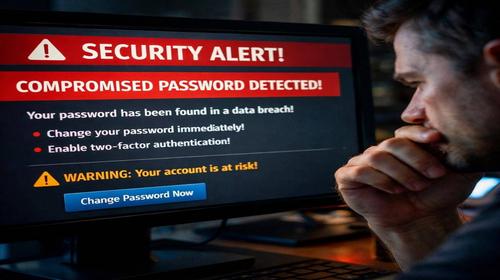
Many users receive alarming messages with the subject “Your password is no longer safe” and immediately panic. These emails claim that your device has been hacked, that attackers recorded compromising videos, and that you must pay Bitcoin to avoid exposure. In most cases, this is a sextortion scam combined with email blackmail. Attackers use fear and urgency to trick users into paying money or revealing more data.
This guide explains how to recognize a fake hacking email, avoid phishing traps, and protect your accounts. You will learn how attackers get old passwords from data leaks, why these messages look convincing, and what steps you should take to stay safe. Following these recommendations will significantly improve your internet security and protect your personal data. :contentReference[oaicite:0]{index=0}
What is this scam
A sextortion scam is a type of email blackmail where attackers claim they hacked your device and recorded private activity. They often include an old password to make the message look real. In reality, they did not hack your computer. Instead, they obtained leaked data from previous breaches and use it to scare victims. The message is usually generic and sent to thousands of users at once.
When this problem occurs
This issue appears when your email address is included in leaked databases from websites or services. Attackers use this data to send mass scam emails. The risk increases if you reuse passwords across multiple accounts or ignore security updates. These emails often appear unexpectedly and create a sense of urgency. Understanding this helps you avoid panic and respond correctly.
Main causes or risks
- Data leaks from websites where your credentials were exposed
- Mass email campaigns with fake threats
- Use of old passwords to create trust
- Bitcoin payment requests for anonymity
- Psychological pressure to force quick action
Step-by-step instructions
- Do not reply to the email or click any links
- Check your email in data breach services to confirm leaks
- Change your passwords immediately using strong combinations
- Enable two factor authentication for all accounts
- Scan your system with antivirus software and review active sessions
Useful tips
- Use a password manager for unique passwords
- Create separate emails for important accounts
- Always verify website URLs before logging in
- Never reuse passwords across multiple services
- Keep your system and antivirus updated
Common mistakes
Many users panic and send Bitcoin, believing the threat is real. Another mistake is ignoring two factor authentication, which increases risk. Some users continue using old passwords, making future attacks easier. Clicking links in scam emails can lead to real phishing attacks. Avoid these mistakes to protect your accounts and data.
FAQ
Do I need antivirus software?
Yes, antivirus helps detect malware and protect your system.
Does VPN protect from scams?
VPN protects your connection but does not stop phishing emails.
How to identify a phishing email?
Check the sender, avoid urgent threats, and verify links carefully.
Can malware slow down my computer?
Yes, malicious software can reduce system performance.
Conclusion
The “your password is no longer safe” email is usually a fake hacking attempt and sextortion scam. Do not panic or send money. Instead, secure your accounts, change passwords, and enable two factor authentication. These steps will improve your internet security and protect your data from future threats.
Read also
More useful tips can be found in the
Internet safety,
Browsers,
Computer,
Windows and
CMD commands sections.
Bookmark this page and improve readability
To quickly return to this article, add it to your bookmarks using Ctrl + D on Windows or Cmd + D on Mac. This helps you access the guide anytime.
If the text is too small, you can increase it by up to 30 percent using Ctrl and + to zoom in or Ctrl and – to zoom out for better readability.