How to Check if Your Google Account Has Been Hacked
Short description: learn how to detect if your Google account has been hacked, identify suspicious activity, and quickly secure your personal data.
When this problem occurs
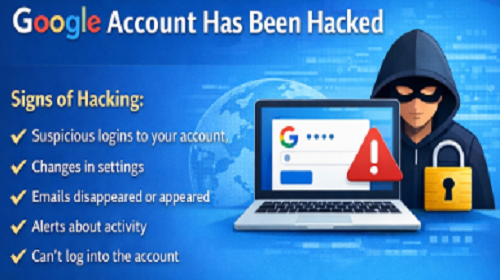
- You notice suspicious logins to your Google account
- Your account settings change without your knowledge
- Emails appear or disappear in Gmail
- You receive alerts about unusual activity
- You cannot log into your account
How to check your account
- Check login activity — open Google security settings and review recent logins. Pay attention to locations, IP addresses, and device types. If you see unknown activity, log out of those sessions immediately and change your password.
- Review connected devices — check the list of devices that have access to your account. If you find unknown devices, remove them and sign in again only on trusted devices.
- Analyze Gmail activity — check your inbox, sent, and trash folders. Hackers often send spam or hide messages using filters, so look for anything unusual.
- Check account settings changes — review your recovery email, phone number, and password settings. Any changes you didn’t make may indicate unauthorized access.
- Check third-party app access — review apps and services connected to your account. Remove any suspicious or unknown apps immediately.
- Review Gmail filters and forwarding — check if any automatic forwarding or filters were added. These can be used to hide or redirect your emails.
- Use Google Security Checkup — run Google’s built-in security tool to identify suspicious activity and get recommendations to secure your account.
- Verify authentication settings — make sure two-factor authentication (2FA) is enabled. This adds an extra layer of protection by requiring a code from your device.
- Check password strength — ensure your password is strong and unique. If it has been used elsewhere, change it immediately.
- Scan your device for malware — sometimes hackers gain access through viruses or spyware. Run an antivirus scan on your computer or smartphone.
Useful tips
- Enable two-factor authentication for better security
- Use a strong and unique password
- Regularly check account activity
- Avoid clicking suspicious links
- Keep your device protected with antivirus software
Common mistakes
Many users ignore security alerts or delay checking their account. Using the same password across multiple services significantly increases risk. Another common mistake is not enabling two-factor authentication. These issues make accounts more vulnerable to hacking and data loss.
Frequently asked questions:
Does this work for other services?
Yes, most online services provide similar security tools and checks.
Should I change my password?
Yes, if you suspect a hack, change your password immediately.
Can I recover my account?
Yes, Google provides recovery options using your email or phone number.
Will this affect my account?
No, security checks do not affect normal usage but improve protection.
Can viruses cause hacking?
Yes, malware can steal login data and compromise your account.
Should I check my device?
Yes, scanning your device is important for full security.
What if I cannot log in?
Use Google account recovery options to regain access.
How do I know if the issue is fixed?
Ensure there are no suspicious logins and your settings are secure.
What if the problem happens again?
Strengthen your security settings and review connected devices regularly.
Conclusion
Checking your Google account for hacking is essential for protecting your personal data. Regular monitoring, strong passwords, and additional security measures like two-factor authentication help prevent unauthorized access and keep your account safe.
Read also
WINDOWS
Internet Network
Internet Security
Antivirus
VPN
Quick tip: press Ctrl + D to bookmark this page.