Your Account Will Be Blocked – Phishing Scam
Short description: Learn how scammers use urgent account blocking messages, fake support emails, and security alerts to steal your data. Practical tips to protect against phishing and cyber threats.
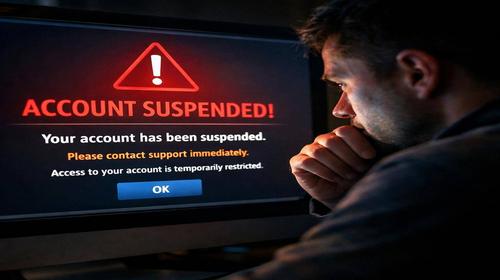
Many users receive emails with the message “Your account will be blocked.” This is a classic scam where attackers impersonate support services like Facebook, Google, or banks. They create panic by claiming urgent blocking to force you to click a link and enter your login credentials. The result is account loss, stolen data, and serious internet security risks. This article explains how to recognize fake support messages, avoid fraudulent security emails, and protect your computer and accounts. You will get a step-by-step guide, useful tips, and answers to common questions. Cybersecurity starts with understanding these threats. Learn how to verify emails, use two-factor authentication, and avoid acting under pressure. Protect your data from phishing attacks today. :contentReference[oaicite:0]{index=0}
What it is
The message “Your account will be blocked” is a phishing attack combined with spoofing techniques. Scammers send fake security emails pretending to be official support from platforms like Facebook or Instagram. They claim there has been a violation or suspicious activity and threaten immediate blocking. The link leads to a fake website that looks like the official one. There, you are asked to enter your email, password, or two-factor authentication code. Once they get your data, attackers take control of your account. Fake support messages look convincing with logos and similar design. Urgency creates panic and pushes users to act quickly without verification. This threatens not only your account but also your contacts, as attackers may use your profile to spread spam or phishing links.
When this problem occurs
This problem usually appears when you actively use social networks or email. Scammers collect email databases or buy lists and send mass phishing messages. Common situations include receiving alerts about “policy violations” after posting comments or joining groups. Another example is a warning about a “suspicious login” from another country. Why is it important to understand this? Because losing your account can block access to photos, contacts, and work tools. Attackers may sell stolen accounts or demand ransom. For home users, this is a serious cybersecurity risk because hacked profiles are often used to scam friends. Regular verification helps protect your system and network from further attacks.
Main causes or scenarios
- Fake support messages copying the design of official services like Facebook or Microsoft.
- Urgent blocking warnings that create panic and pressure.
- Fraudulent security emails asking for login, password, or 2FA code.
- Email spoofing where the sender looks like support but uses a fake domain.
- Personalization using your name or activity to gain trust.
Step-by-step guide
- Do not click links in suspicious emails. Check the sender address carefully.
- Log in to your account manually through the official website using your browser.
- Compare the URL and make sure it starts with https and has no spelling errors.
- Enable two-factor authentication using apps like Google Authenticator instead of SMS.
- Report the phishing attempt to the platform and change your password immediately.
Useful tips
- Use antivirus software with phishing protection such as Windows Defender.
- Check email addresses carefully for small spelling changes.
- Never enter credentials on suspicious websites.
- Create a backup email for important accounts.
- Educate family members about phishing scams.
Common mistakes
Many users click links in urgent blocking messages without checking the sender. They ignore spoofing signs and trust emails that look official but have incorrect domains. Another common mistake is entering two-factor authentication codes on fake websites. Some users fail to change passwords after suspicious activity, allowing attackers to maintain access. Weak passwords and reuse across multiple services increase the risk. Panic caused by urgent warnings leads to rushed decisions. Users often forget to verify account settings through official platforms. Not reporting phishing attempts makes recovery more difficult. These mistakes can lead to full account takeover and further spread of attacks.
FAQ
Do you need antivirus?
Yes, antivirus software blocks fake websites and scans suspicious links. Built-in tools like Windows Defender are effective.
Is VPN safe?
VPN protects your traffic on public networks but does not prevent phishing. Use it together with antivirus.
How to recognize a phishing site?
Check the URL for https, spelling errors, and suspicious domains.
Can malware slow down your computer?
Yes, malicious software can reduce system performance and steal resources.
Conclusion
Protection from “Your account will be blocked” scams requires careful email verification, manual login, and two-factor authentication. Avoid urgent messages, fake support, and fraudulent security emails. These steps will improve your internet security and protect your accounts and computer. Always update passwords and use antivirus tools for better cybersecurity.
Read also
Internet Security
Browsers
CMD Commands
Windows
Quick tip: press Ctrl + D to bookmark this page.