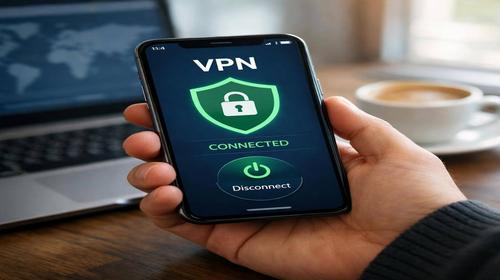
How to Enable VPN on Your Phone: Detailed Guide for Android and iPhone
Short description: Learn how to enable VPN on your phone using apps or system settings. A simple step-by-step guide for Android and iPhone users.
Setting up a VPN on your phone is becoming increasingly important for users who want to protect their personal data and maintain privacy online. If you are unsure how to enable VPN on your phone, this guide will walk you through the process for both Android and iPhone devices. A virtual private network encrypts your internet traffic and hides your IP address, allowing you to safely use public Wi-Fi networks and protect sensitive information from interception. In this article, we will cover two main methods: using dedicated VPN applications and configuring VPN manually through device settings. No matter which method you choose, the process is straightforward and suitable even for beginners.
What is a VPN and why you should use it
A VPN, or virtual private network, is a tool that encrypts your internet connection and routes it through a secure server. When you enable VPN on your phone, your real IP address is hidden and replaced with the server’s address. This means websites and online services cannot determine your actual location. Additionally, VPN protects your data from being intercepted, especially when you are connected to public Wi-Fi networks in places like cafes, hotels, or airports. Without VPN, your data is more vulnerable to cyber threats and unauthorized access.
When you should enable VPN on your phone
Using a VPN is recommended in several situations. The most important one is when connecting to public Wi-Fi networks, where your data can easily be intercepted. If you travel frequently, VPN allows you to access services and content from your home country. It also helps maintain privacy while browsing, messaging, or using social networks. Enabling VPN is highly recommended when performing financial transactions such as online payments or entering banking details. Some users also rely on VPN to bypass geographic restrictions or to prevent their internet provider from tracking their activity.
Main ways to enable VPN on your phone
- Installing a VPN provider app, which is the easiest method and requires minimal setup
- Manual configuration through system settings without installing additional apps
- Using built-in VPN features from device manufacturers
- Setting up VPN on a router to protect all connected devices
- Always-on VPN that automatically connects when the device is active
How to enable VPN on Android using an app
- Open Google Play Store and search for a VPN service such as NordVPN or Surfshark
- Tap Install and wait for the app to download
- Launch the app and sign in or create a new account
- Tap the Connect button on the main screen
- Confirm the connection request and VPN will be activated
How to enable VPN on Android manually
- Open Settings and go to Network and Internet
- Find the VPN section
- Add a new VPN profile
- Enter server details, username, and password
- Save the profile and connect
How to enable VPN on iPhone or iPad
- Open the App Store and install a VPN app
- Launch the app and log in
- Allow the app to manage VPN settings
- Tap the Connect button
- Check that the status shows Connected
Manual VPN setup on iPhone
- Open Settings and go to General
- Select VPN & Device Management
- Add a new VPN configuration
- Enter server and authentication details
- Enable the VPN connection
Useful tips
- Choose servers close to your location for better speed
- Enable always-on VPN for continuous protection
- Check for the VPN icon in the status bar
- Avoid unknown or unreliable free VPN services
- Keep your VPN app updated regularly
Common mistakes
Many users forget to grant permissions required for VPN apps, which prevents connections from working properly. Another common mistake is trying to connect without creating an account. When setting up VPN manually, incorrect server details often cause issues. Some users attempt to use the same VPN account on multiple devices without proper subscription support. Additionally, people sometimes forget that VPN is active, which may reduce internet speed if the server is far away.
FAQ
Will my internet be slower when using VPN?
Yes, VPN may slightly reduce speed due to traffic routing through a remote server, but with a good provider the difference is minimal.
Is it safe to use a free VPN?
Free VPN services can pose privacy risks, so it is better to choose trusted providers.
Can I use two VPNs at the same time?
No, most devices allow only one active VPN connection at a time.
Does VPN work on older devices?
Yes, but some older systems may have limitations depending on OS version.
Does VPN affect apps?
Some apps, especially banking or streaming services, may restrict access when VPN is enabled.
Conclusion
Knowing how to enable VPN on your phone helps you significantly improve your privacy and online security. The easiest method is using a VPN app, but manual setup is also available. Regular VPN usage protects your data and reduces risks, especially on public networks.
Read also
VPN
Internet network
Internet security
Android
If this article was helpful, bookmark our blog
about AI and automation.
Quick tip: press Ctrl + D to save this page.