Showing: 1 - 17 of 17 RESULTS

Viber Not Working After Update

Viber не відкривається після оновлення Windows

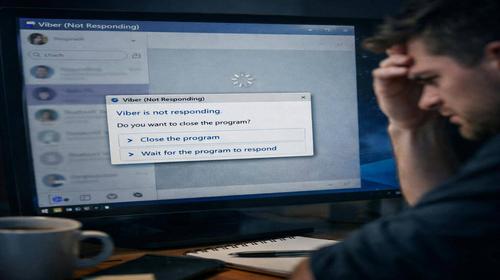
Viber Not Working After Update: How to Fix the Error on Windows 11 Short description: Viber not working after update on Windows 11? Learn how to fix startup errors, restore the app, and eliminate common Viber issues quickly and safely. …

Як вибрати HDD для резервного копіювання

How to Choose an HDD for Data Backup

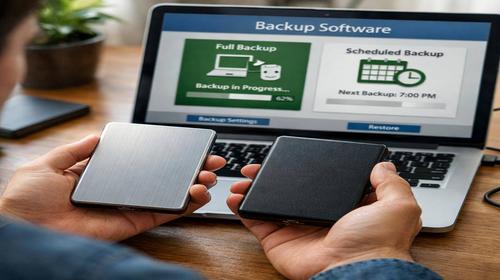
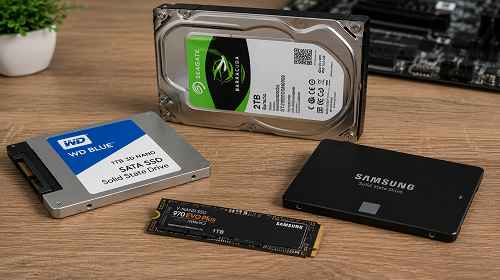
How to Choose an HDD for Data Backup Short description: Learn how to choose the right HDD for data backup. Consider capacity, write speed, USB interface, and portability to ensure safe and reliable file storage. Data backup is one of …

Чому Viber зависає при запуску на Windows

Viber Freezes on Windows 11

Viber Freezes on Windows 11: Complete Solution to Fix the Problem Short description: Viber freezes on Windows 11? Learn how to fix when Viber is not responding, slow, or not launching with simple and effective solutions. Viber is a widely …

Як змінити ім'я комп'ютера у Windows

How to Change Computer Name in Windows 11?

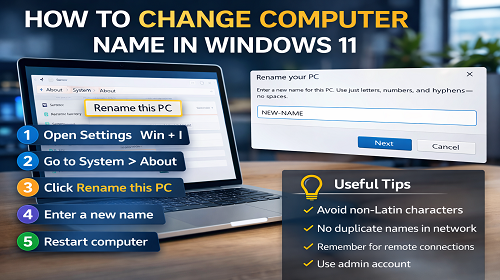
How to Change Computer Name in Windows 11 Short description: How to change computer name in Windows 11? Learn step-by-step instructions using system settings and command line, plus useful tips for proper configuration. The question of how to change computer …

What is the difference between a computer and a server?

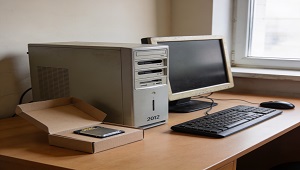
What is the difference between a computer and a server? Computer vs. Server: A Professional Analysis of Key Differences While computers and servers both fall under the category of computing devices, their functional roles, architectural characteristics, and areas of application …

How can I change the disk letter using Windows?

How can I change the disk letter using Windows? To change the disk letter in Windows, you can use the built-in Disk Manager or Command Prompt utilities. Depending on the version of Windows, the interface and names may differ, but …

How to choose a power supply?

When choosing a power supply (PSU) for your computer, it is important to consider several key factors. Here are a few steps to help you with this process: 1. Power: Check how much power you need to power your system. …

How to choose a computer’s RAM?

Choosing the RAM for your computer When choosing RAM for your computer, you should take into account several factors. Here are some steps you can take: 1. Determine the type of memory: Before choosing your RAM, make sure what type …

Choose a hard disk for your computer.

How to choose a hard disk for your computer? When choosing a hard disk for your computer, it is recommended to consider several key factors. Here are a few steps that can help you with this process: 1. Form factor: …

Upgrade your RAM

How will upgrading the RAM affect the computer’s performance? Upgrading your RAM can significantly improve your computer’s performance in the following ways: Increased performance: More RAM allows your computer to store more data in RAM instead of using virtual memory …

What can be modernized in a computer?

What can be modernized in a computer? You can upgrade your computer at different levels, depending on your needs and the features available. Here are some of the main components that can be modernized: Processor: Upgrading your processor can significantly …