Laptop power: how to increase it? A complete guide to modernization and optimization. Boost Your Laptop’s Power: A Comprehensive Guide to Upgrades and Optimization Is your laptop feeling sluggish? Struggling to keep up with new programs and games? Don’t despair! …
What should you do if there is either no or very little space left on the C drive?
What should you do if there is either no or very little space left on the C drive? If there is very little or no space left on the C drive, it can cause problems with performing operations and saving …
How can I change the disk letter using Windows?
How can I change the disk letter using Windows? To change the disk letter in Windows, you can use the built-in Disk Manager or Command Prompt utilities. Depending on the version of Windows, the interface and names may differ, but …
What should I do if there are stripes on my computer monitor?
What should I do if there are stripes on my computer monitor? Stripes on your computer monitor: A step-by-step troubleshooting guide Encountering stripes on your computer screen can be a frustrating experience, disrupting both work and leisure. However, there’s no …
Why do you need an antivirus on your home or work computer? What antiviruses are there in the world?
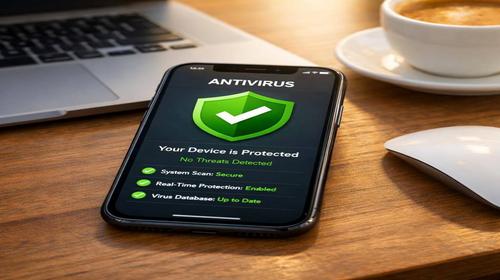
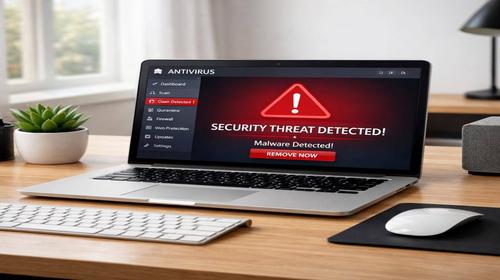
Antivirus software is an important element of protecting your computer from malware, viruses, Trojans, and other threats. Here are some reasons why you need an antivirus on your home or work computer: Detect and block threats: Antivirus programs detect and …
How to choose a printer? Which is better: inkjet or laser?
How to choose a printer? Which is better: inkjet or laser? The printer you choose depends on your use and needs. Each type of printer has its advantages and disadvantages. Here’s a quick overview of inkjet and laser printers: Inkjet …
How to choose a laptop?
How to choose a laptop? Choosing a laptop depends on your needs, budget, and personal preferences. Here are a few steps that can help you choose a laptop: Identify your needs: Think about what you need your laptop for. Do …
How to choose a power supply?
When choosing a power supply (PSU) for your computer, it is important to consider several key factors. Here are a few steps to help you with this process: 1. Power: Check how much power you need to power your system. …

How to choose a video card for a computer?
How to Choose a Graphics Card for Your Computer Short description: Learn how to choose the right graphics card for your PC. Consider performance, VRAM, compatibility, and cooling to ensure stable operation and the best results in games and professional …
How to choose a computer’s RAM?
Choosing the RAM for your computer When choosing RAM for your computer, you should take into account several factors. Here are some steps you can take: 1. Determine the type of memory: Before choosing your RAM, make sure what type …
Choose a hard disk for your computer.
How to choose a hard disk for your computer? When choosing a hard disk for your computer, it is recommended to consider several key factors. Here are a few steps that can help you with this process: 1. Form factor: …
Port range that can be used for RDP on Windows Server 2016/2019
RDP Port Range in Windows Server 2016/2019 — Which Port to Use and How to Configure It Short description: in this article, we will explore the RDP port range in Windows Server 2016/2019, how to change the default port, which …
Replacing the default port 3389 of Windows Server via the registry
Replacing the default port 3389 of Windows Server via the registry To change the default RDP port (3389) on Windows Server 2016/2019 through the registry, follow these steps: Open the Registry Editor by typing “regedit” in the search box in …
Shadow desktop connection in Windows Server 2016/2019: Step by step guide
Shadow desktop connection in Windows Server 2016/2019: Step by step guide Shadowing in Windows Server 2016/2019 allows you to remotely view and control another user’s session on the server. This is a useful feature for assisting users or monitoring their …
Upgrade your RAM
How will upgrading the RAM affect the computer’s performance? Upgrading your RAM can significantly improve your computer’s performance in the following ways: Increased performance: More RAM allows your computer to store more data in RAM instead of using virtual memory …
What can be modernized in a computer?
What can be modernized in a computer? You can upgrade your computer at different levels, depending on your needs and the features available. Here are some of the main components that can be modernized: Processor: Upgrading your processor can significantly …